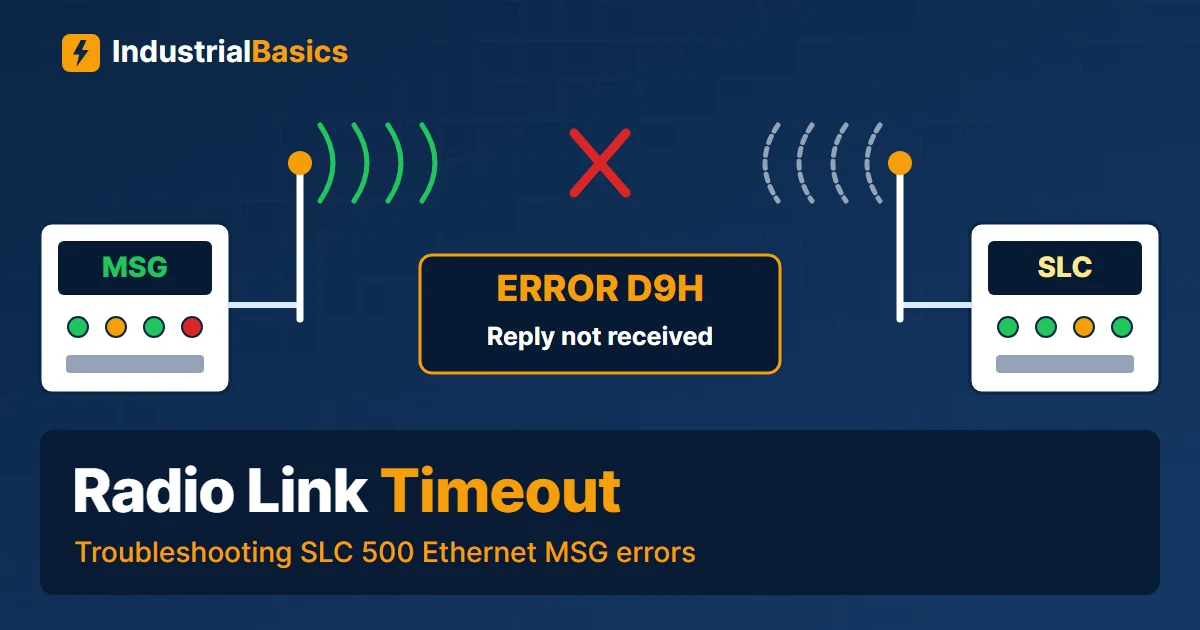
A radio link timeout on an SLC 500 happens when a MSG instruction cannot complete across the radio connection within its allowed time. Start with the MSG error code. D9H means the reply came back too late, while D4H, D5H and D8H point to connection problems. Then measure the real round-trip delay, reduce message traffic and set a timeout that fits the link instead of simply making it longer.
| Symptom or code | Likely meaning | First check |
|---|---|---|
| D9H | Reply was too late | Round-trip delay and message load |
| D4H | Connection did not complete | IP address, route, radio link |
| D5H or D8H | Connection dropped | Radio stability and signal |
| WQ bit on | MSG queue is full | Too many messages |
| MSG stuck with ST on | Waiting for a reply | Timeout may be set to 0 |
How an SLC 500 MSG Times Out
On SLC 5/03 and higher processors, the built-in MSG timer makes the instruction error when the timeout expires, so your logic can retry it. A timeout of 0 means there is no timer. If communication is interrupted after the message is acknowledged, the instruction waits forever and can look locked up.
The SLC 500 reference lists default timeouts of 5 seconds for SLC 5/03, 5/04 and 5/05 channel 0, and 23 seconds for SLC 5/05 channel 1.
The SLC 5/05 Ethernet timeout formula
For an SLC 5/05 channel 1 MSG, you cannot change the Message Timeout in the Ethernet Message Setup dialog. The processor calculates it:
For example, an 8 second connection timeout and a 5 second reply timeout give 8 + 5 + 5 = 18 seconds. Change those values in the channel 1 configuration, and remember that the result applies to all MSG instructions on that channel.
MSG Error Codes for Radio Links
| Code | Meaning in the SLC reference | Where to look |
|---|---|---|
| 07H | Target node does not respond | Node, power, path |
| 09H | Local modem connection has been lost | Modem link |
| 37H | Message timed out in local processor | Timeout and path |
| D1H | Maximum connections used | Too many connections |
| D4H | Connection not completed before user-specified timeout | IP, route, radio link |
| D5H | Connection timed out by the network | Network or radio dropouts |
| D7H | Connection refused by destination host | Target configuration |
| D8H | Connection was broken | Link stability |
| D9H | Reply not received before user-specified timeout | Latency or target load |
| DAH | No network buffer space available | Message load |
Read the MSG Status Bits
| Bit | Name | What it tells you |
|---|---|---|
| EN | Enable | Rung went true and space was available |
| EW | Enabled and waiting | Message is in a transmit buffer |
| ST | Start | Acknowledgment received, with special meaning on some links |
| DN | Done | Message completed successfully |
| ER | Error | Message failed |
| CO | Continuous | Message keeps resending |
| WQ | Waiting for queue | The queue is full |
| TO | Timeout | Removes an active message from control |
The continuous message trap
The CO bit is convenient, but it has a catch. If a continuous MSG errors before its timeout, it retries automatically. If it errors because of a timeout, it stops triggering until EN is toggled off and back on. On a radio link, one bad period can therefore stop polling until the logic or an operator restarts it.
Each CO message also occupies one of the channel’s four transmit buffers. If all four are used, no other MSG can run on that channel, including one in a fault routine.
How to Troubleshoot Step by Step
- Record the error code and how often it occurs.
- Test the path. Confirm IP settings, gateway and that the target responds.
- Check the radio. Use its diagnostics for link state, signal quality and retries, based on the maker’s limits.
- Measure the round-trip time under normal traffic and at the busiest time.
- Reduce the load. Stagger messages, combine data and slow non-critical polling.
- Set the timeout from the measured delay.
- Add recovery logic so the MSG retries and raises an alarm.
- Log failures so that a worsening link shows up early.
Setting a sensible timeout
FlowFuse suggests finding the response-time floor and multiplying it by 1.5 to 2. If the slowest normal round trip on a link measures 1.2 seconds, that gives 1.8 to 2.4 seconds. This is a general guideline, so test it on your link and work within what the SLC settings allow.
| Timeout too short | Timeout too long |
|---|---|
| Causes false errors on a healthy link | Delays detection of a real failure |
| Retries add more radio traffic | A dead request holds up the queue |
| Can trigger nuisance alarms | Remote equipment may run on stale data |
Slowing the poll rate can help, but it does not fix a weak link. Treat it as one test rather than the whole solution. For background, see PLC vs DCS vs SCADA and what a PLC is. For serial wiring on older links, see our DB9 pinout guide.
Frequently Asked Questions
What is a radio link timeout on a PLC?
It occurs when a PLC message does not complete within its allowed time across a radio connection. Causes include delay, retries, weak signal, too much traffic or a timeout set too short.
What does error D9H mean on an SLC 500 MSG?
It means the reply was not received before the user-specified timeout. The request may have reached the network, but the reply did not arrive in time.
What does error 37H mean?
The SLC 500 reference defines 37H as a message timed out in the local processor.
How is the SLC 5/05 Ethernet MSG timeout set?
For channel 1, the processor adds the MSG Connection Timeout, MSG Reply Timeout and five seconds. Change it in the channel configuration, and the result applies to all MSG instructions.
What happens if the MSG timeout is 0?
There is no timer. If communication is interrupted after acknowledgment, the MSG waits indefinitely and can appear locked up.
Why did my continuous MSG stop after a timeout?
With the CO bit set, a MSG that errors because of a timeout stops triggering. The EN bit must be toggled off and back on to resume.
How many continuous MSG instructions can one SLC channel run?
A maximum of four per channel, because each one occupies a transmit buffer. If all four are used, no other MSG can run on that channel.
Should I just make the timeout longer?
Only after measuring the real delay. A longer timeout can hide a failing link and delays fault detection, while a very short one causes extra retries and traffic.
Sources and Further Reading
- SLC 500 Instruction Set Reference Manual, 1747-RM001D: MSG timeouts, status bits and error codes.
- FlowFuse: Fixing PLC Communication Latency: measuring delay and setting a timeout.
- Inductive Automation Forum: Slow PLC Comm Tag Settings: practitioner discussion of PLC polling over radio.