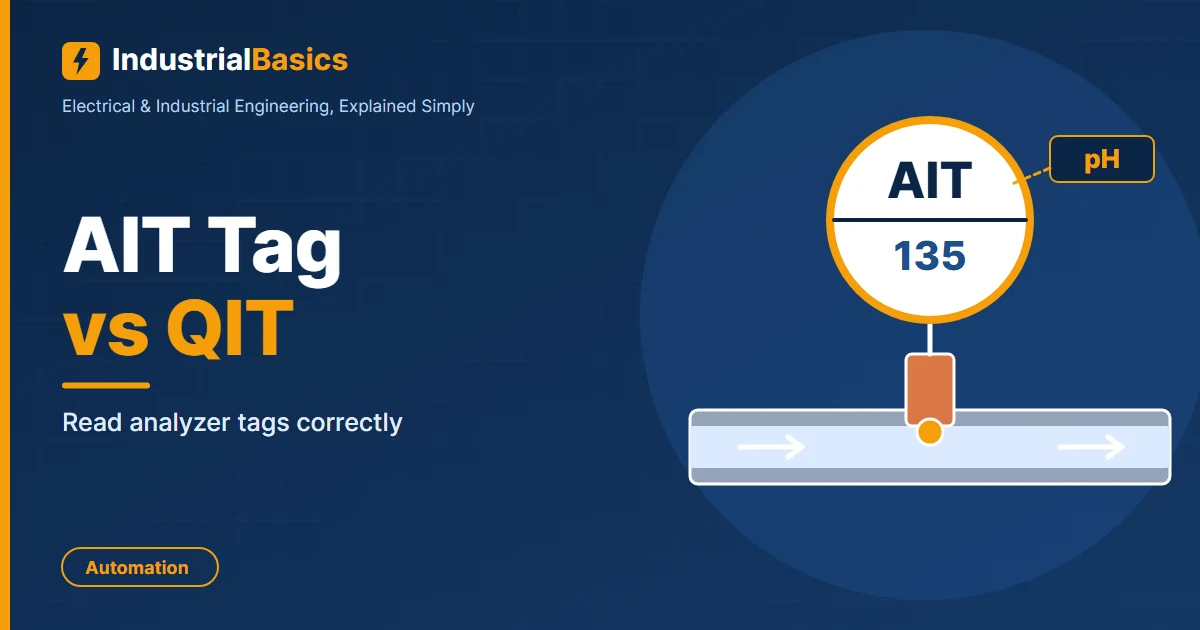
An AIT tag identifies an Analysis Indicating Transmitter: an instrument that measures a composition or property such as pH, oxygen or conductivity, displays it locally and transmits the value. QIT uses Q, the first letter for quantity, so it should not be used for an analyzer. In an instrument tag, the first letter tells you what is being measured and the letters after it tell you what the device does.
| Tag | Reads as | Use it for |
|---|---|---|
| AIT | Analysis, Indicating, Transmitter | Analyzer with a local display and output signal |
| AT | Analysis, Transmitter | Analyzer transmitter without local indication |
| AE | Analysis, Element | The sensor or primary element |
| AI | Analysis, Indicator | A display of the analysis value |
| AIC | Analysis, Indicating, Controller | A controller acting on the analysis value |
| QIT | Quantity, Indicating, Transmitter | A device where quantity is the measured variable |
| FQI | Flow, Totalizing, Indicator | A flow totalizer with a display |
How to Read an AIT Tag
Instrument tags follow the identification system in ISA-5.1, the standard used on many piping and instrumentation diagrams (P&IDs). A tag combines letters that describe the function with a number that identifies the loop.
| Letter | Position | Meaning |
|---|---|---|
| A | First | Analysis |
| Q | First | Quantity |
| Q | Modifier | Integrate, totalizer |
| I | Succeeding | Indication |
| T | Succeeding | Transmit |
| A | Succeeding | Alarm |
Notice that A has two meanings. As a first letter it means analysis, but later in a tag it means alarm. So AAH reads as an analysis alarm, high. The same position rule applies to I: as a first letter it means electrical current, while in AIT it means indication.
AIT vs QIT: Which Is Correct?
For an analyzer, AIT is the correct choice. The first letter should describe the variable being measured, and composition or a chemical property is an analysis measurement. QIT says the measured variable is a quantity, which tells the reader something different.
The confusion usually comes from Q as a modifier. In a tag like FQI, F is the variable and Q modifies it, so the device totalizes flow. That is why the letter Q appears so often near flow meters. It does not mean quality, and it is not a general letter for analyzers.
The Tag Does Not Say What Is Measured
This is the main limit of an AIT tag. A tells you the device performs an analysis, but not whether it measures pH, dissolved oxygen, conductivity or a gas. Two instruments on the same drawing can both be AITs and measure completely different things.
| Example tag | Actual measurement | Where to confirm it |
|---|---|---|
| AIT-101 | pH of a neutralization tank | P&ID note and instrument index |
| AIT-102 | Dissolved oxygen in an aeration basin | P&ID note and datasheet |
| AIT-103 | Oxygen in flue gas | Instrument index and datasheet |
| AIT-104 | Conductivity of treated water | P&ID note and datasheet |
Good practice is to record the property beside the symbol and in the instrument index, along with the range and engineering units. This matters during commissioning, when a sensor scaled for the wrong range can look healthy while reporting a false value.
How AIT Fits in a Control Loop
Every device in a loop starts with the same process-variable letter, even when the device itself is not an analyzer. That is why the valve in this pH loop is AV-135 rather than a generic valve tag. The output could be a 4-20 mA control valve, and the controller could run in a PLC or DCS using PID control.
Using AIT Tags in PLC and HMI Software
Keeping the field tag in your software makes troubleshooting much easier, because a technician can move between the drawing, the HMI and the logic with one name. A simple structure might look like this:
| Software tag | Purpose |
|---|---|
| AIT_135_PV | Scaled process value |
| AIT_135_RAW | Raw input count or signal |
| AIT_135_FLT | Signal fault status |
| AAH_135 | High analysis alarm |
| AIC_135_CV | Controller output |
Hyphens are not allowed in tag names on many platforms, so underscores are a common replacement. Our guide to I/O tags in Studio 5000 shows how this works in practice, and PLC vs DCS vs SCADA explains where each tag may live.
Checklist for Assigning an Analyzer Tag
- Start with the project’s tagging specification and P&ID legend.
- Use A as the first letter when the device measures composition or a property.
- Add I only if the instrument has a local indication.
- Add T when it transmits a signal to another device.
- Use the loop number shared by the other devices in that loop.
- Add a suffix when a loop has more than one similar device.
- Record the measured property, range and units beside the tag.
Frequently Asked Questions
What does AIT stand for?
AIT stands for Analysis (or Analytical) Indicating Transmitter. It measures a composition or property, shows the value locally and sends a signal to another device.
What is the difference between AIT and QIT?
The first letter names the measured variable. A means analysis and Q means quantity. Use AIT for measurements such as pH, oxygen or conductivity.
What is the difference between AT and AIT?
AT is an analyzer transmitter. AIT adds I, showing that the instrument also has a local indication.
Does Q always mean quantity in an instrument tag?
No. As a first letter, Q means quantity. As a modifier after the first letter, it means integrate or totalize, as in a flow totalizer.
How do I know what an AIT measures?
The letters only say it is an analysis instrument. Check the note beside the symbol on the P&ID, the instrument index or the datasheet for the actual measurement.
Should a pH transmitter be tagged AIT?
Yes, under the letter logic, because pH is an analysis measurement. Use AT if it has no local display, and follow your project’s tagging specification.
What do the numbers in an AIT tag mean?
The number usually identifies the loop. Some projects add an area prefix or a suffix when a loop has more than one similar device.
Can I use AIT as a PLC tag name?
Yes. Many teams reuse the field tag so software matches the drawings. Check your platform’s rules, because some do not allow hyphens in tag names.
Sources and Further Reading
- Engineering ToolBox: Process Instrumentation, ISA Codes: letter tables based on ANSI/ISA S5.1-1984 (R1992).
- Instrumentation Tools: Instrument Identification Tags: AIT example, loop numbering, prefixes and suffixes.