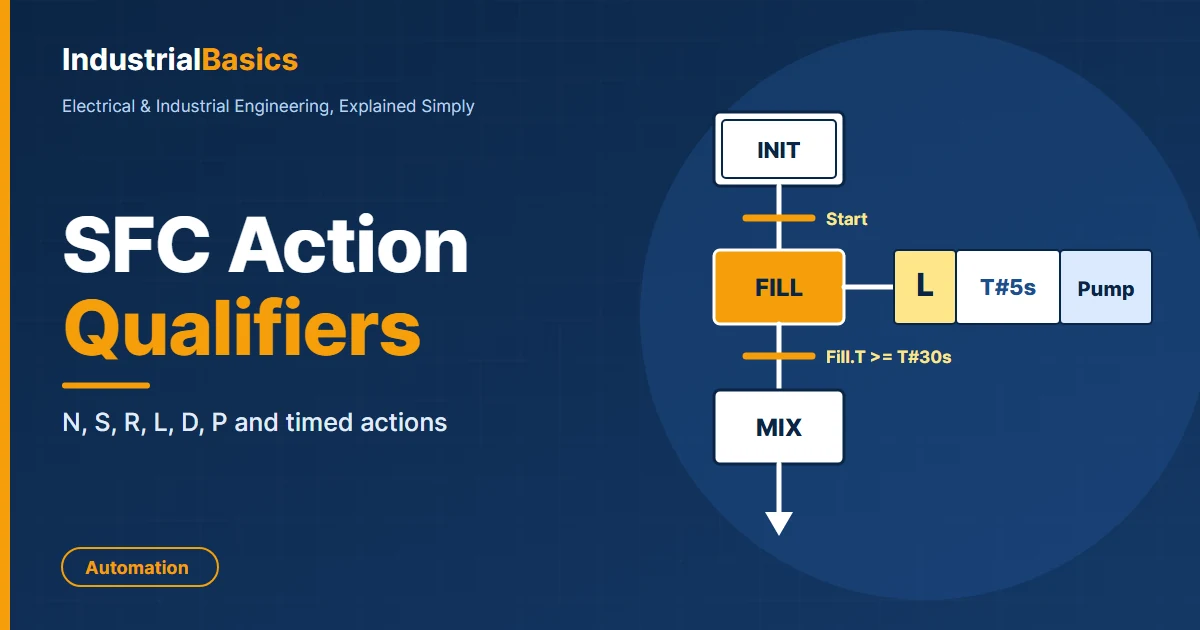
The L qualifier in a Sequential Function Chart (SFC) is a time-limited action: it starts when the step becomes active and stops when its time expires or the step deactivates, whichever happens first. For example, L T#5s runs an action for up to 5 seconds. L is one of the IEC 61131-3 action qualifiers, and L, D, SD, DS and SL all require a time value.
| Qualifier | Name | What the action does | Time? |
|---|---|---|---|
| None / N | Non-stored | Runs while the step is active | No |
| S | Set (stored) | Runs until reset by R | No |
| R | Overriding reset | Ends a stored action | No |
| L | Time limited | Runs for up to the set time while the step is active | Yes |
| D | Time delayed | Starts after the delay if the step is still active | Yes |
| P | Pulse | Executes when the step activates | No |
| SD | Stored and delayed | Starts after the delay even if the step has ended | Yes |
| DS | Delayed and stored | Stores only if the step lasts for the delay | Yes |
| SL | Stored and limited | Starts and runs for the set time unless reset | Yes |
| P1 | Pulse, rising edge | One pulse when the step activates | No |
| P0 | Pulse, falling edge | One pulse when the step deactivates | No |
How an SFC Action Block Works
A Sequential Function Chart breaks a process into steps and transitions. Actions attached to a step say what happens, and each action’s qualifier says when. SFC is one of the languages described in our IEC 61131-3 guide.
Each step also has two useful variables. Step.X is true while the step is active, and Step.T is its elapsed time. A transition can use them, for example FillStep.T >= T#30s.
The L Time-Limited Qualifier
L starts the action when the step becomes active and keeps it running for the set time, provided the step remains active.
| Step active for | L T#5s action runs for | What ended it |
|---|---|---|
| 8 s | 5 s | Time expired |
| 5 s | 5 s | Time and step end together |
| 2 s | 2 s | Step deactivated |
PLCopen shows that L behaves like an N action that checks the step time:
N  Ax

ACTION Ax:
    IF Sx.T <= T#5s THEN
        Num := Num + 1;
    END_IF;
END_ACTION<= or <, so do not rely on one extra scan at the time boundary.Compare the Time Qualifiers
| Qualifier | If the step lasts longer than the time | If the step ends early |
|---|---|---|
| L | Stops when time expires | Stops with the step |
| D | Starts after delay, stops with step | Never starts |
| SD | Starts after delay, runs until reset | Still starts after delay |
| DS | Starts after delay, runs until reset | Never starts |
| SL | Runs for the time | Still runs for the full time |
The difference between SD and DS catches many programmers out. With SD, activation alone commits the action to start later. With DS, the step must still be active when the delay ends.
Stored Actions: S and R
An S action keeps running from the step where it is set until a step with the same action qualified R becomes active. It can shorten a chart, but PLCopen’s SFC guidance advises against S and R because they make the execution range harder to understand. Paths containing only the S or only the R can cause serious testing and maintenance problems.
If you do use them, keep the stored range short and avoid putting a divergence between the set and reset.
Pulse Qualifiers and the Final Scan
P executes once when the step activates. P1 and P0 give clear rising and falling edge pulses, so use them where your platform supports them.
Be careful about what happens after a step ends. PLCopen notes that a final scan of the action is implementation specific, and PLCnext documents a FINAL_SCAN option that changes how P behaves. Published descriptions of plain P also differ at deactivation, so check your own controller’s manual.
Worked Example: Tank Fill
| Step | Action | Qualifier | Why |
|---|---|---|---|
| FillStep | OpenValve | N | Valve is open only during filling |
| FillStep | FillAlarmTest | P1 | Runs once on entry |
| FillStep | BoostPump | L T#5s | Runs for at most 5 s |
| FillStep | LowFlowCheck | D T#10s | Checks flow only after 10 s |
| MixStep | RunMixer | N | Runs only during mixing |
Here, LowFlowCheck uses D because flow needs time to settle. If the fill finishes in under 10 seconds, the check never runs. Avoiding S keeps every output tied to a visible step. For PLC project basics, see what a PLC is, and for mapping real signals into logic, see our I/O tag guide.
Frequently Asked Questions
What does the L qualifier mean in SFC?
L means time limited. The action starts when the step becomes active and stops when the time expires or the step deactivates, whichever comes first.
What is the difference between L and SL?
L stops if the step deactivates. SL is stored, so it continues for its full time even if the step ends, unless it is reset first.
What is the difference between D, SD and DS?
D runs only while the step stays active after the delay. SD stores the action and starts after the delay even if the step has ended. DS starts and stores only if the step lasts for the delay.
What is the difference between N and S?
N runs only while the step is active. S stays active after the step ends until an R qualifier resets it.
Which SFC qualifiers need a time?
L, D, SD, DS and SL require a TIME value.
What do P, P1 and P0 mean?
P is a pulse when the step activates. P1 is a pulse on the rising edge of step activation and P0 is a pulse on the falling edge.
What are stepname.X and stepname.T?
X is the step active flag. T is the elapsed time since the step became active.
Should I use S and R qualifiers?
Use them sparingly. PLCopen advises against them because stored actions can make programs harder to read, test and maintain.
Sources and Further Reading
- PLCopen: Structuring with SFC, Do’s and Don’ts: qualifiers, L equivalent and S/R guidance.
- PLCnext Engineer: Action and Action Qualifier in SFC: qualifier behavior and FINAL_SCAN.
- Fernhill Software: IEC 61131-3 SFC Step: step variables and syntax.