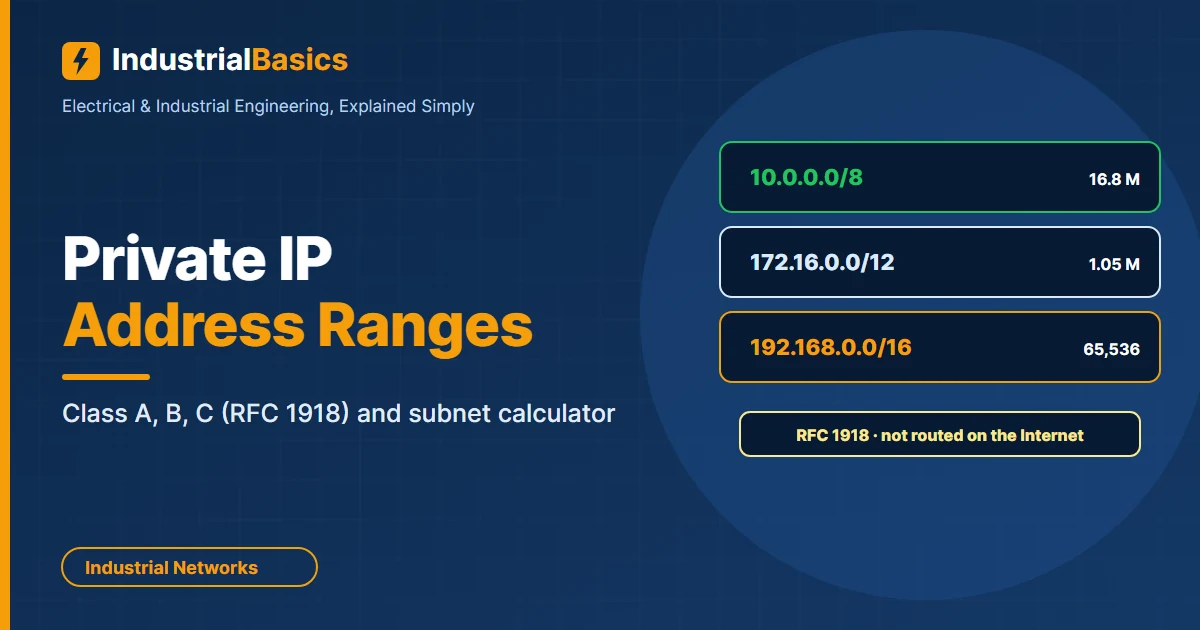
The private IPv4 ranges (RFC 1918) are 10.0.0.0/8 (10.0.0.0–10.255.255.255), 172.16.0.0/12 (172.16.0.0–172.31.255.255) and 192.168.0.0/16 (192.168.0.0–192.168.255.255). Anyone can use them inside their own network without approval. Internet routers do not route them, so devices reach outside through NAT. Related reserved blocks are carrier-grade NAT 100.64.0.0/10, link-local 169.254.0.0/16 and loopback 127.0.0.0/8. In IPv6, private-style addresses are unique local addresses, fc00::/7.
Private IP Address Ranges (RFC 1918)
| RFC 1918 block | Address range | Addresses | CIDR (mask) | Classful description |
|---|---|---|---|---|
| 24-bit block | 10.0.0.0 – 10.255.255.255 | 16,777,216 | 10.0.0.0/8 (255.0.0.0) | Single class A network |
| 20-bit block | 172.16.0.0 – 172.31.255.255 | 1,048,576 | 172.16.0.0/12 (255.240.0.0) | 16 contiguous class B networks |
| 16-bit block | 192.168.0.0 – 192.168.255.255 | 65,536 | 192.168.0.0/16 (255.255.0.0) | 256 contiguous class C networks |
Wikipedia notes these blocks are not allocated to any organization, so anyone may use them without approval from a registry. They were defined to delay IPv4 address exhaustion. Packets with private source or destination addresses are not routed on the public Internet. Classful “class A/B/C” labels are obsolete since CIDR in 1993, but they are still common shorthand.
Other Special-Purpose Ranges
| Block | Range | Purpose |
|---|---|---|
| 100.64.0.0/10 | 100.64.0.0 – 100.127.255.255 | Carrier-grade NAT shared space (IANA, 2012) |
| 169.254.0.0/16 | 169.254.0.0 – 169.254.255.255 | Link-local: self-assigned when no DHCP is available |
| 127.0.0.0/8 | 127.0.0.0 – 127.255.255.255 | Loopback to the local host |
| fc00::/7 (fd00::/8 used) | IPv6 | Unique local addresses with a random 40-bit prefix |
IP Address and Subnet Calculator
Planning an IP Address Schema for a Plant
- Pick one private block for the control network that does not overlap the business network, VPNs or vendors’ remote-access ranges.
- Subnet by area or line, e.g. 10.20.line.0/24, so a line’s PLC, HMI, drives and I/O share a subnet and broadcasts stay local.
- Reserve address bands within each subnet: for example .1 gateway, .10–.49 controllers, .50–.99 HMIs and PCs, .100–.199 drives and I/O, .200+ spare and temporary.
- Use fixed addresses for controllers and I/O; set them at commissioning with BOOTP or DHCP reservations.
- Document it in an IP register, and keep it current with each change.
For subnet masks and host counts by prefix, see our /23 subnet mask and CIDR chart.
Frequently Asked Questions
What are the private IP address ranges?
Three IPv4 blocks set aside by RFC 1918: 10.0.0.0–10.255.255.255 (10.0.0.0/8), 172.16.0.0–172.31.255.255 (172.16.0.0/12) and 192.168.0.0–192.168.255.255 (192.168.0.0/16).
What is the class A private IP range?
10.0.0.0 to 10.255.255.255 (10.0.0.0/8, mask 255.0.0.0), 16,777,216 addresses: a single former class A network.
What is the class B private IP range?
172.16.0.0 to 172.31.255.255 (172.16.0.0/12, mask 255.240.0.0), 1,048,576 addresses: 16 contiguous former class B networks. Note 172.32.x.x and above are public.
What is the class C private IP range?
192.168.0.0 to 192.168.255.255 (192.168.0.0/16), 65,536 addresses: 256 contiguous former class C networks.
Are classes still used?
No. Classful addressing has not been used on the Internet since CIDR began in 1993; ranges are described by prefix length (e.g. /24). The class names survive only as shorthand (Wikipedia).
What is a private IPv6 address range?
Unique local addresses, fc00::/7, with fd00::/8 in use: each organization picks a random 40-bit prefix to avoid collisions when networks are joined.
Is 100.64.0.0/10 private?
It is shared address space set aside in 2012 for carrier-grade NAT inside service-provider networks. It is not RFC 1918 and should not be used for your own LAN.
What does a 169.254 address mean?
A link-local address the device gave itself because it could not reach a DHCP server. It usually means a DHCP or cabling problem.
Can private IP addresses reach the Internet?
Only through network address translation (NAT) or a proxy; Internet routers do not route RFC 1918 addresses, and anyone may reuse them inside their own network.
Which private range should I use for a plant network?
Any RFC 1918 block works. Larger sites often use 10.x.x.x for room to subnet per area or line; avoid ranges already used by the business network or common home routers (192.168.0.x / 192.168.1.x) to prevent conflicts with VPNs and laptops.
Sources and Further Reading
- Wikipedia: Private network: RFC 1918 ranges, CGNAT, unique local IPv6, loopback, classful note.
- Wikipedia: Reserved IP addresses: special-purpose IPv4 and IPv6 blocks.
- Wikipedia: Link-local address: 169.254.0.0/16 self-assigned addresses.