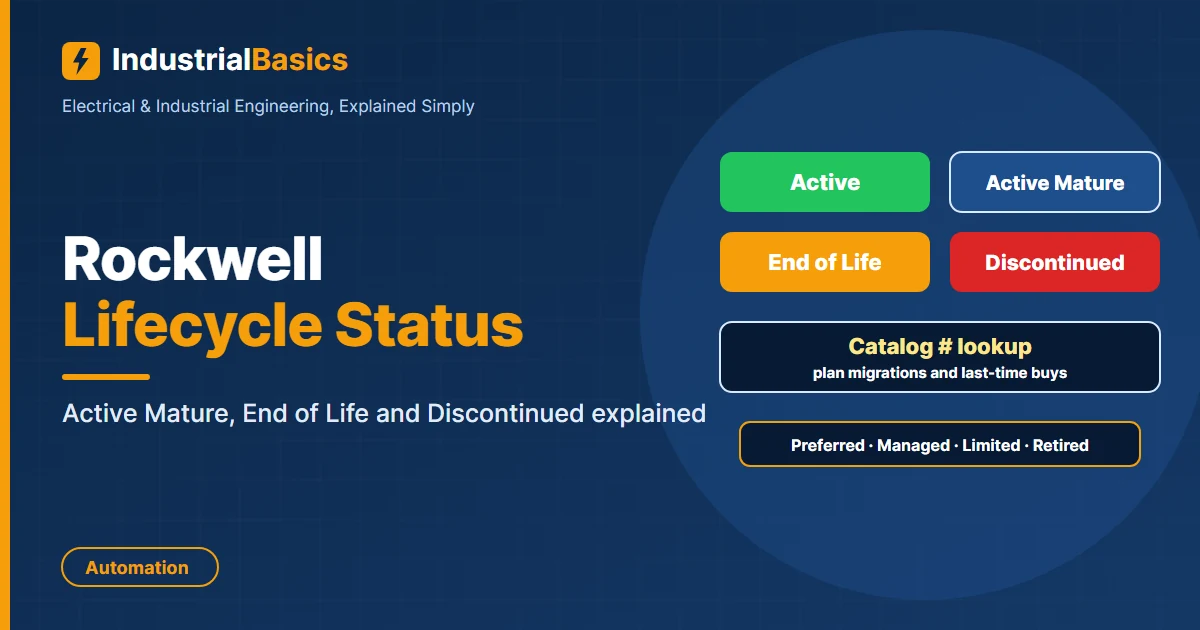
Rockwell Automation lifecycle status tells you where an Allen-Bradley or Rockwell product is in its life. Active is the most current offering. Active Mature is fully supported but has a newer replacement. End of Life means a discontinued date has been announced. Discontinued means it is no longer manufactured. You find the status by entering the catalog number in Rockwell’s Product Lifecycle Status search. It tells you when to plan a migration and when to make last-time buys.
Rockwell Lifecycle Status Definitions
| Status | Rockwell definition | What it means for you |
|---|---|---|
| Active | Most current offering within a product category. | Safe to design into new machines and standardize on. |
| Active Mature | Product is fully supported, but a newer product or family exists. Gain value by migrating. | Keep running it; stop designing it in; start a migration plan. |
| End of Life | Discontinued date announced; actively execute migrations and last-time buys. Generally orderable until the discontinued date (outages on specific items may occur earlier). | Fund the migration, size and place last-time buys now. |
| Discontinued | New product no longer manufactured or procured. Repair/exchange services may be available. Limited run-out stock may exist regionally. | Rely on spares, repair or exchange; complete the migration. |
Software and Firmware Version Statuses
| Version status | Meaning (Rockwell) |
|---|---|
| Preferred | What customers should adopt to stay current; priority for anomaly fixes and OS patch qualification testing. |
| Managed | Adopted to stay current when Preferred versions are blocked by hardware dependencies; may be updated for new Windows OS support. |
| Limited | Available for customers who do not want to stay current; not a priority for anomaly resolution. |
| Retired | Not available for download (may be available through technical support); anomalies and Windows OS support are not addressed. |
Hardware and firmware statuses are related but separate. An Active controller can still be running a Retired firmware version. Check both when you audit a plant, especially for programming software that has to run on current Windows versions.
How to Look Up a Catalog Number
- Open the Product Lifecycle Status search on the Rockwell Automation website.
- Enter the catalog number from the product label or your bill of materials, such as a contactor, pushbutton, drive or I/O module number.
- Read the status and, for End of Life or Discontinued items, the discontinued date.
- For replacements and compatibility, use Rockwell’s Product Compatibility and Download Center (PCDC), which the lifecycle page links to.
Last-Time Buy Calculator
Example: 40 installed units with a 2% annual failure rate, kept running for 8 years, give 6.4 expected failures. Holding 11 spares covers the period with 95% confidence. Your own failure history is the best input; if you have none, a conservative assumption plus a shorter migration timeline is safer.
Building an Obsolescence Plan
Wikipedia’s product lifecycle article describes the problem: during operation, components reach their own end of life, creating Diminishing Manufacturing Sources and Material Shortages (DMSMS). Modernizing can extend a system’s life and delay disposal. For a plant with Rockwell (or any vendor’s) automation, that becomes a routine:
- Inventory every controller, I/O module, drive, HMI, network device and software version, with catalog numbers.
- Classify each by lifecycle status and by how critical the machine is.
- Act by status: design in only Active items; budget migrations for Active Mature; size last-time buys at End of Life; arrange repair/exchange for Discontinued.
- Migrate in planned outages, converting programs and documentation together. See how to select a PLC and PLC vs DCS vs SCADA for platform choices.
- Review yearly, since statuses move.
Frequently Asked Questions
What is Rockwell lifecycle status?
Rockwell Automation’s label for where a hardware product is in its life: Active, Active Mature, End of Life or Discontinued. It is shown for each catalog number in Rockwell’s Product Lifecycle Status search.
What does Active Mature mean?
The product is fully supported, but a newer product or family exists. Rockwell suggests you gain value by migrating, so it is the time to plan a replacement, not to design it into new machines.
What does End of Life mean for Rockwell products?
A discontinued date has been announced. Customers should actively execute migrations and last-time buys. The product is generally orderable until the discontinued date, though specific items may be out of stock before then.
What does Discontinued mean?
New product is no longer manufactured or procured. Repair or exchange services may be available, and limited stock may remain in run-out mode in some regions.
How do I check the lifecycle status of a Rockwell part?
Enter the catalog number (for example a contactor, drive or I/O module number) in the Product Lifecycle Status search on Rockwell’s website. The result shows the status and, where announced, the discontinued date.
What are Preferred, Managed, Limited and Retired?
Rockwell’s statuses for software and firmware versions. Preferred is what customers should adopt to stay current; Managed is for those held back by hardware; Limited supports customers who do not stay current; Retired versions are no longer available for download.
Can I still buy a discontinued Allen-Bradley product?
Not as new production from Rockwell. Limited run-out stock may exist regionally, and repair or exchange services may be offered. Beyond that, buyers turn to surplus and refurbished channels, which carry warranty and authenticity risks.
What is a last-time buy?
A final purchase of spares before a product is discontinued, sized to keep installed equipment running until it can be migrated. The calculator above estimates the quantity from installed units, failure rate and years.
How far ahead should I plan a migration?
Start when a product moves to Active Mature, and have the plan funded before End of Life. Migration means engineering, software conversion, panel changes and downtime, which usually take longer than a parts order.
Does lifecycle status affect safety or support?
Discontinued hardware may lose repair options, and retired software versions no longer get anomaly fixes or Windows support updates. For safety-related systems, keep certified spares and a documented migration path.
Sources and Further Reading
- Rockwell Automation: Product Lifecycle Status (search and definitions): hardware and software/firmware lifecycle status definitions.
- Wikipedia: Product lifecycle: end of life, DMSMS and modernization.
IndustrialBasics is independent and not affiliated with Rockwell Automation. Allen-Bradley and Rockwell Automation are trademarks of Rockwell Automation, Inc. Always confirm current status on Rockwell’s own lookup.