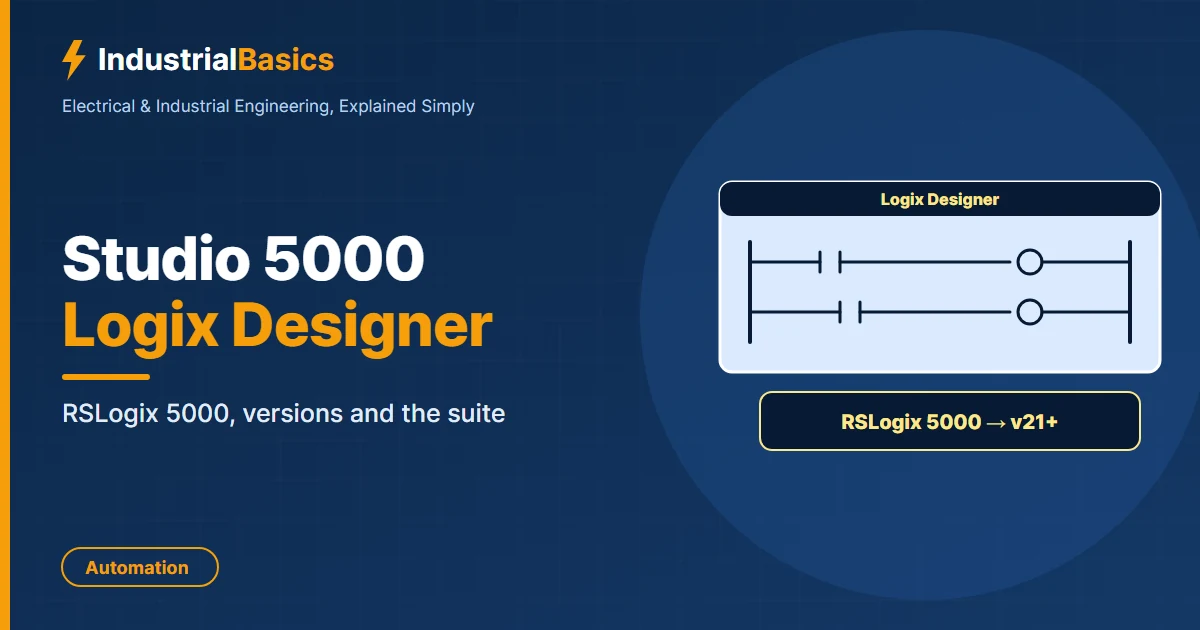
Studio 5000 Logix Designer is Rockwell Automation’s software for programming and configuring Allen-Bradley Logix 5000 controllers: ControlLogix, CompactLogix and GuardLogix. It is the same product line formerly called RSLogix 5000. Versions 20 and earlier carry the old name, and version 21 was the first released as Logix Designer inside the Studio 5000 environment. The software major version must match the controller’s firmware major revision, so plants often keep several versions installed.
What Studio 5000 Includes
Rockwell describes Studio 5000 as one framework for design, re-use, collaboration and virtual design. Logix Designer is the controller programming application. View Designer builds PanelView 5000 HMIs. Architect lays out the system. Application Code Manager manages reusable code libraries. Logix Emulate tests code without hardware. Simulation Interface connects real or emulated controllers to simulation tools for virtual commissioning.
RSLogix 5000 vs Studio 5000 Logix Designer
This is a naming question, not a product choice. Rockwell’s release notes state that version 21 was the first release to re-brand RSLogix 5000 as the Logix Designer application and embed it in the Studio 5000 Engineering and Design Environment. A project opens in the version that matches it, whatever name is on the splash screen (PLCcode.ai).
| Software | Controllers | Addressing | Notes |
|---|---|---|---|
| Studio 5000 Logix Designer (v21+) | ControlLogix, CompactLogix, GuardLogix | Named tags, UDTs | Motion, safety (GuardLogix), AOIs |
| RSLogix 5000 (≤ v20) | Same Logix families, older firmware | Named tags, UDTs | Same product, older name |
| RSLogix 500 | SLC 500, MicroLogix | File-based: I:, O:, B3, T4, N7 | Ladder only; hardware end of life |
| RSLogix 5 | PLC-5 | File-based | Mostly migration work |
| Connected Components Workbench | Micro800 | Named variables | Standard Edition free; different project format |
Find the Right Software and Version
Versions and Firmware Matching
Logix Designer must match the controller’s firmware major revision to go online, so a plant with v24, v30 and v33 controllers needs all three installed. PLCcode.ai calls this the main day-to-day pain for maintenance, and advises keeping every needed version licensed on the maintenance laptop before a breakdown. Read the catalog number on the controller first, then the firmware revision, then pick the software.
Programming in Logix Designer
- Tags instead of addresses: named tags and user-defined data types make programs readable. See I/O tags in Studio 5000 for linking module I/O to logic.
- Languages: ladder, function block, structured text and SFC, depending on edition (see IEC 61131-3).
- Add-On Instructions: reusable, encapsulated logic blocks.
- Motion and safety: integrated motion axes and, on GuardLogix, safety tasks and safety signatures.
- Connectivity: recent versions act as an OPC UA server or client, letting Logix controllers talk directly to third-party devices (Rockwell).
Recent Logix Designer Features
Rockwell’s version history highlights hardware support for the ControlLogix 5590, with integrated functional safety (SIL 2 by default), more memory and faster scans. It also lists safety and standard control on one platform, more OPC UA devices and AutomationML exchange with EPLAN Electric P8. A redesigned Controller Capacity tab separates standard and safety memory, and safety signatures can now be generated in Run mode. Rockwell’s FactoryTalk Software Version History lists changes release by release.
For the wider PLC landscape, see what is a PLC and our S7-1200 vs S7-1500 guide for the Siemens equivalent.
For Micro800 controllers, Rockwell uses different software: see our guide to Connected Components Workbench.
Frequently Asked Questions
What is Studio 5000 Logix Designer?
Rockwell Automation’s programming and configuration software for the Allen-Bradley Logix 5000 family of controllers (ControlLogix, CompactLogix and GuardLogix). It configures, programs and maintains the controllers and related devices in one environment.
Is RSLogix 5000 the same as Studio 5000?
Yes, the same product line under a different name. Versions 20 and earlier are RSLogix 5000; version 21 was the first release re-branded as the Logix Designer application inside the Studio 5000 environment (Rockwell release notes).
What is the difference between Studio 5000 and Logix Designer?
Studio 5000 is the overall design environment; Logix Designer is the controller programming application within it. Other Studio 5000 applications include View Designer, Architect, Logix Emulate, Application Code Manager and Simulation Interface.
Why do I need several versions of Logix Designer installed?
The software major version must match the controller’s firmware major revision to go online. A plant with controllers at v24, v30 and v33 needs all three versions (PLCcode.ai).
Which controllers does Studio 5000 program?
ControlLogix, CompactLogix and GuardLogix. SLC 500 and MicroLogix use RSLogix 500, PLC-5 uses RSLogix 5, and Micro800 uses Connected Components Workbench.
What programming languages does Logix Designer support?
Ladder logic, function block diagram, structured text and sequential function chart, depending on the edition purchased, plus Add-On Instructions for reusable code.
What is the difference between RSLogix 500 and Studio 5000?
RSLogix 500 uses file-based addresses such as B3:2/5 and is ladder-only, for SLC 500 and MicroLogix. Logix Designer uses named tags and user-defined types (for example Conveyor1.Motor.Running) and adds motion and safety.
Is Studio 5000 free?
No. Logix Designer is licensed, increasingly by subscription; Rockwell publishes an ordering guide. Connected Components Workbench Standard Edition for Micro800 is free.
What is Studio 5000 View Designer?
The Studio 5000 design environment for PanelView 5000 operator terminals (Rockwell).
What is new in recent Logix Designer versions?
Rockwell lists support for the ControlLogix 5590 controller with integrated safety (SIL 2 by default), more OPC UA connectivity, AutomationML exchange with EPLAN Electric P8, a redesigned controller capacity tab and safety signatures in Run mode.
Sources and Further Reading
- Rockwell Automation: Studio 5000 Logix Designer: purpose and recent features.
- Rockwell Automation: Studio 5000 design software: suite components.
- Rockwell Automation: Logix Designer version 21 release notes: first re-branded release.
- PLCcode.ai: Studio 5000 vs RSLogix 500 vs Connected Components Workbench: software mapping and version matching.