If a safety relay will not reset with a light curtain, the fault is usually one of five things: blocked or misaligned beams, a curtain in lockout, a missing OSSD channel, an open contactor feedback (EDM) loop, or a wrong reset sequence. Check them in that order, starting at the sensor. Never bypass or jumper any part of the circuit to restore production, because that can leave a person unprotected.
| Symptom | Most likely cause | First check |
|---|---|---|
| Curtain green, relay will not reset | Open feedback loop or reset fault | K1 and K2 NC auxiliary contacts |
| Curtain stays red | Beam blocked or misaligned | Alignment and dirty lenses |
| Curtain shows a fault code | Internal or wiring lockout | The manual’s error table |
| Only one relay channel is active | One OSSD open or shorted | Each OSSD at the relay terminals |
| Relay trips at random | Noise, loose wiring or marginal alignment | Terminals, cable route and alignment |
| Fault returns immediately after reset | Short, overload or welded contactor | OSSD load and feedback |
How a Light Curtain and Safety Relay Work Together
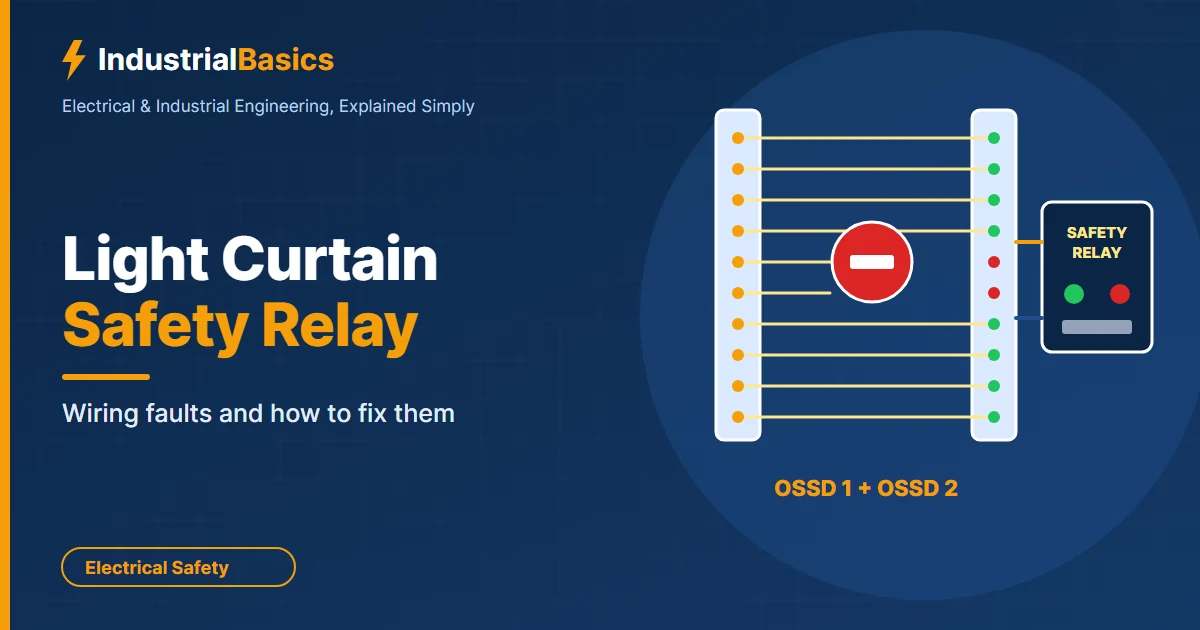
The receiver watches the beams and drives two independent safety outputs, called OSSDs. The safety relay checks both channels, and only then closes its outputs to the contactors. If a beam is broken or a fault appears, the outputs drop and the machine receives a stop signal.
| Part | Job | What can go wrong |
|---|---|---|
| Emitter and receiver | Create and detect the beams | Misalignment, dirt, damage |
| OSSD 1 and 2 | Redundant safety signals | Short, open, overload |
| Safety relay | Monitors inputs and switches outputs | Wrong input type, reset fault |
| Contactors K1 and K2 | Remove power from the hazard | Welded or stuck contacts |
| Feedback / EDM | Proves the contactors have dropped out | Open loop or slow response |
| Reset | Restarts only after a deliberate action | Stuck button or wrong mode |
Why test pulses matter
OSSD outputs are usually pulsed off very briefly to prove that they can switch. Because the pulses on each channel are out of phase, a monitoring device can detect a short to 24 V, a short to 0 V, a short between the channels or an open wire. Banner’s EZ-SCREEN LS, for example, lists a typical test pulse of 200 µs every 200 ms.
Step-by-Step Troubleshooting
1. Check the beams and alignment
Look at the status indicators first. Clean both lenses, remove any obstruction, and check that the emitter and receiver are level, square and at the correct height. Vibration can shift a bracket slowly, which causes intermittent stops. Many curtains have an alignment display or mode. On a Pilz PSEN op2H, for example, it is started through the RESET/RESTART/ALIGN input.
2. Read the fault code
If the curtain is in lockout, its code is the fastest route to the cause. The table below shows how three manufacturers describe common faults. Always use the manual for your exact model.
| Fault | Manufacturer guidance |
|---|---|
| Output error (Banner) | Caused by an output shorted to supply, OSSD 1 shorted to OSSD 2, or more than 0.5 A. Disconnect loads and cycle power |
| EDM error (Banner) | EDM input open at power-up, or no response within 250 ms of the OSSDs turning off |
| EDM error (Pilz) | Check the EDM feedback loop and configuration, then reset |
| Restart error (Pilz) | Check the RESTART connection, then reset |
| EDM error (Datalogic) | Check EDM connections and lines |
| Restart selection error (Datalogic) | Check the manual or automatic restart selection |
3. Measure both OSSD channels
With the machine in a safe condition and the beams clear, measure each OSSD to 0 V at the relay terminals. Both should be at about the supply voltage when clear and near 0 V when the beams are blocked. If the voltage is correct at the curtain but not at the relay, the fault is in the wiring between them.
To separate a wiring fault from a receiver fault, follow Banner’s method: disconnect the OSSD loads and cycle power to the receiver. If the error clears, the problem lies in the load or load wiring. If it continues with no load connected, the receiver is the likely cause.
4. Check the feedback (EDM) loop
This is one of the most common reasons for a relay that will not reset. The loop proves that the contactors have dropped out before another start is allowed. With the contactors de-energized, the series NC auxiliary contacts should read closed. An open reading points to a wiring fault, a failed auxiliary contact or a welded contactor.
If a contactor has welded, replace it. Our guide to contactors and relays explains how they differ. Use contactors with suitable mechanically linked or mirror contacts for feedback, as required by the design.
5. Check the reset
Confirm whether the system is set for manual or automatic restart. A reset button that is stuck closed, or wiring that holds the input on, can prevent a valid reset. Some relays need a specific press-and-release sequence, so check the timing in the relay manual.
Common Wiring Mistakes
| Mistake | Result | Correct approach |
|---|---|---|
| Both OSSDs joined together | Immediate cross-fault | Run each to its own input |
| OSSD wired to standard PLC input | No proper safety monitoring | Use a safety-rated input |
| Load above OSSD rating | Output error | Use a safety relay or interface |
| OSSD run beside motor cables | Random stops | Separate the routes |
| EDM set but not wired | EDM lockout | Wire it or configure it correctly per the risk assessment |
| Feedback jumpered | Welded contactor goes undetected | Connect the real auxiliary contacts |
| Excess cable resistance | Output problems on long runs | Stay within the device limit |
Noise and poor bonding can produce stops that are hard to trace. See our guides to earthing and grounding and electrical hazards in industry for the wider picture.
After the Repair: Checkout and Safety Distance
- Follow the manufacturer’s checkout before returning the machine to service.
- Test the detection zone with the correct test piece for the curtain’s resolution.
- Confirm that the machine stops whenever a beam is interrupted.
- Confirm that it will not restart without the intended reset.
- Recheck stopping time if a contactor, relay, brake or drive was changed.
- Record the test in the maintenance log.
A curtain is only effective if it is mounted far enough from the hazard. ISO 13855 sets the method, using approach speed, total stopping time and a reaching distance. Its 2024 edition revised that method, so use the edition required by your regulator or customer, and have a competent person repeat the calculation if the machine’s stopping time changes. In the US, machine wiring and stop functions are commonly assessed against NFPA 79.
Frequently Asked Questions
Why will my safety relay not reset with a light curtain?
The usual causes are blocked or misaligned beams, a curtain in lockout, one OSSD channel missing, an open contactor feedback loop, or an incorrect reset sequence. Check them in that order.
What is OSSD on a light curtain?
OSSD stands for Output Signal Switching Device. It is the safety output of the curtain. Most use two redundant channels that turn off when a beam is interrupted or a fault is found.
Can I wire OSSD outputs to a standard PLC input?
Not as a safety function. A standard input does not provide the required monitoring. Use a safety relay, safety PLC input or another device rated for OSSD signals.
What is EDM on a light curtain?
EDM stands for External Device Monitoring. It checks the feedback from the devices switched by the safety outputs, so that a welded contactor can be detected.
What causes an OSSD error?
Typical causes are an output shorted to the supply or 0 V, a short between OSSD 1 and OSSD 2, or an overload. Disconnecting the loads helps show whether the fault is in the wiring or the receiver.
Why does a multimeter show 24 V on a faulty OSSD?
A standard multimeter averages the signal and cannot show very short test pulses. A reading of 24 V confirms the level, but it does not prove that the pulse pattern is healthy.
Can I jumper the feedback loop to get the machine running?
No. Jumpering the feedback loop hides a welded or stuck contactor and removes part of the safety function. Find and repair the cause.
Do I need to retest after repairing a light curtain circuit?
Yes. A qualified person should carry out the checkout in the manufacturer’s manual, including testing with the correct test piece, before the machine returns to service.
Sources and Further Reading
- Banner Engineering: EZ-SCREEN LS Product Manual: OSSD ratings, EDM and troubleshooting.
- Pilz: PSEN op2H Getting Started: alignment and error handling.
- Datalogic SG4-B Quick Guide: test piece and fault table.
- DigiKey: OSSD Safety Signals: OSSD waveforms and monitored faults.
- Waves Engineering: EN ISO 13855:2024 Changes: the revised safety distance method.