An uplink port is the switch port that connects a switch upstream, toward the network core: to another switch, a router or a firewall. Wikipedia defines an uplink in computer networks as a connection from data communications equipment toward the network core, also called an upstream connection. On modern switches the uplink ports are usually faster than the rest, such as 10 Gb/s SFP+ cages on a 1 Gb/s switch, so many users can share them. On older hubs and switches, an “Uplink” port was wired as MDI instead of MDI-X so that two switches could be joined with an ordinary straight-through cable.
What Uplink Means
“Uplink” has the same idea everywhere: the direction toward the larger part of the system. In satellite communications it is the link from an earth station up to the spacecraft. In cellular networks it is the path from the phone to the cell site. In an Ethernet network it is the connection from a switch toward the core. The opposite direction, toward the users, is the downlink, also called the access or edge side.
Wikipedia notes that switches are most often the connection point for hosts at the edge of a network. In larger networks, switches also connect the edge switches to one another. The hierarchical internetworking model, first proposed by Cisco in 1998, names three layers. The access layer connects end stations. The distribution layer handles routing, filtering and QoS. The core is the high-speed backbone. Each access switch uplinks to distribution, and distribution uplinks to the core.
Uplink Port vs Regular Port
| Uplink port | Access / downlink port | |
|---|---|---|
| Connects to | Upstream switch, router, firewall | PCs, PLCs, HMIs, cameras, access points |
| Typical speed | Higher (often 10 Gb/s or more) | Lower (often 1 Gb/s) |
| Typical media | SFP/SFP+ cage for fiber or copper modules | RJ45 copper, sometimes with PoE |
| Carries | Traffic from many devices combined | Traffic for one device |
| Redundancy | Often two uplinks, bundled (LAG) or with one blocked by spanning tree | Single link |
| Old hubs (pre auto MDI-X) | Wired MDI, or switchable MDI/MDI-X | Wired MDI-X |
The Old Uplink Port: MDI vs MDI-X
10BASE-T and 100BASE-TX use one twisted pair to transmit and another to receive. End devices and routers use the MDI pinout: transmit on pins 1 and 2, receive on 3 and 6. Hubs and switches use MDI-X, which swaps those pairs internally. A straight-through cable therefore works from a PC to a switch. Two switches connected the same way would put transmit against transmit. Wikipedia notes that some hubs and switches had an MDI uplink port, often switchable, to connect to other hubs or switches without a crossover cable.
Auto MDI-X ended the problem. The port detects which arrangement the link needs and configures itself, as long as speed and duplex are set to auto. Gigabit Ethernet (1000BASE-T) uses all four pairs in both directions at once, so crossover cables are never required. That is why a modern switch can uplink from any port. The “uplink” label now marks the faster or modular ports, not a special pinout.
SFP and SFP+ Uplink Ports
Many switches give their uplinks as SFP cages: empty, hot-pluggable slots for a media-specific transceiver. You fit a module for the cable you have, whether multimode fiber in the building, single-mode fiber across a site, or copper. SFP started at 1 Gb/s for Ethernet, SFP+ (2006) reached 10 Gb/s and SFP28 (2014) 25 Gb/s. The four-lane QSFP family runs four times faster, up to 100 Gb/s for QSFP28 (Wikipedia).
Two Uplinks: Link Aggregation and Spanning Tree
One cable and two ports are three single points of failure. Two uplinks remove them, but Ethernet does not allow loops. If the switches do not bundle the links, Spanning Tree Protocol disables forwarding on the extra one, leaving it as a standby. With link aggregation (LACP, IEEE 802.1AX, formerly 802.3ad), both links act as one logical link. You get the combined bandwidth and the link survives if one member fails. Traffic is usually spread by a hash of addresses, so each conversation still travels on one member to avoid out-of-order frames.
Uplink Oversubscription Calculator
Oversubscription compares what the access ports could send with what the uplinks can carry. A 48-port gigabit switch with two 10 Gb/s uplinks in a LAG is 2.4 : 1 if every port ran flat out at once. Plants with heavy camera or historian traffic need a lower ratio than offices.
Uplinks in Industrial Networks
- Machine to plant: a cell or machine switch carries PLC, HMI and drive traffic, then uplinks to a plant distribution switch, often through a firewall or router between the control and IT zones.
- Fiber uplinks span long distances between buildings or across electrically noisy areas where copper would pick up interference.
- Managed switches let you set VLANs, LACP and spanning tree on the uplink; unmanaged switches cannot (see managed vs unmanaged switch).
- Protocols: PROFINET and Modbus TCP traffic share the uplink with everything else, so watch congestion (see what is PROFINET and Modbus RTU vs Modbus TCP).
- Addressing: plan IP ranges per cell before connecting uplinks (see private IP ranges).
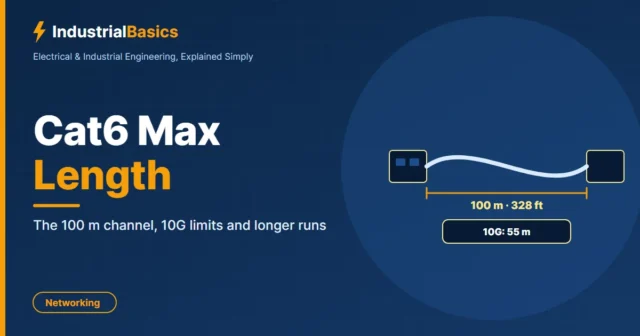
Copper uplinks are limited by cable length; see Cat6 max length for the 100 m rule and 10 Gb/s limits.
Frequently Asked Questions
What is an uplink?
In computer networks, an uplink is a connection from network equipment toward the network core, also called an upstream connection (Wikipedia). In satellite and cellular radio it means the path from the ground station or phone up to the satellite or cell site.
What is an uplink port on a switch?
The port used to connect the switch to the next switch or router upstream. On modern switches it is often a faster port, such as a 10 Gb/s SFP+ cage on a 1 Gb/s switch. On older hubs and switches it was a port wired as MDI so it could reach another switch with a normal straight-through cable.
Can I use an uplink port as a normal port?
Usually yes. On modern switches an uplink port is an ordinary port that is faster or takes an SFP module, so it can connect any device of a matching speed and media. On some old hubs the uplink port shared circuitry with the port next to it, so only one of the pair could be used.
Do I need a crossover cable for an uplink?
Rarely now. Auto MDI-X ports detect the cable and swap transmit and receive automatically, and gigabit (1000BASE-T) links never need a crossover because all four pairs carry data both ways (Wikipedia).
What is the difference between an uplink and a downlink port?
An uplink faces the core (upstream). Downlink, access or edge ports face end devices or lower-tier switches (downstream).
Why are uplink ports faster?
An access switch concentrates many lower-speed ports into a higher-speed uplink (Wikipedia, Network switch). A 10 Gb/s uplink carries the traffic of many 1 Gb/s users with less congestion.
What is an SFP uplink?
An empty slot for a hot-pluggable transceiver. You choose a module for the medium: multimode or single-mode fiber, or copper. SFP is 1 Gb/s, SFP+ 10 Gb/s and SFP28 25 Gb/s (Wikipedia, Small Form-factor Pluggable).
Can I use two uplinks for more bandwidth?
Yes, if both switches support link aggregation (LACP, IEEE 802.1AX). Without it, spanning tree blocks the second path to prevent a loop, so it acts only as a standby link.
What is the LINK/ACT port or light?
LINK/ACT is normally a status LED, not a port type. It shows that a link is up and flashes with traffic. Check the switch manual for the exact meaning of colours and speeds.
What is uplink oversubscription?
The ratio of total access-port bandwidth to uplink bandwidth. For example, 48 × 1 Gb/s ports over 2 × 10 Gb/s uplinks is 2.4 : 1. It assumes every port runs at full speed at once, which rarely happens.
Sources and Further Reading
- Wikipedia: Telecommunications link (uplink and downlink).
- Wikipedia: Medium-dependent interface: MDI, MDI-X, uplink ports and auto MDI-X.
- Wikipedia: Network switch: uplinks, spanning tree, managed switches.
- Wikipedia: Hierarchical internetworking model: core, distribution and access layers.
- Wikipedia: Small Form-factor Pluggable: SFP, SFP+, SFP28, QSFP.
- Wikipedia: Link aggregation: LACP and load balancing.