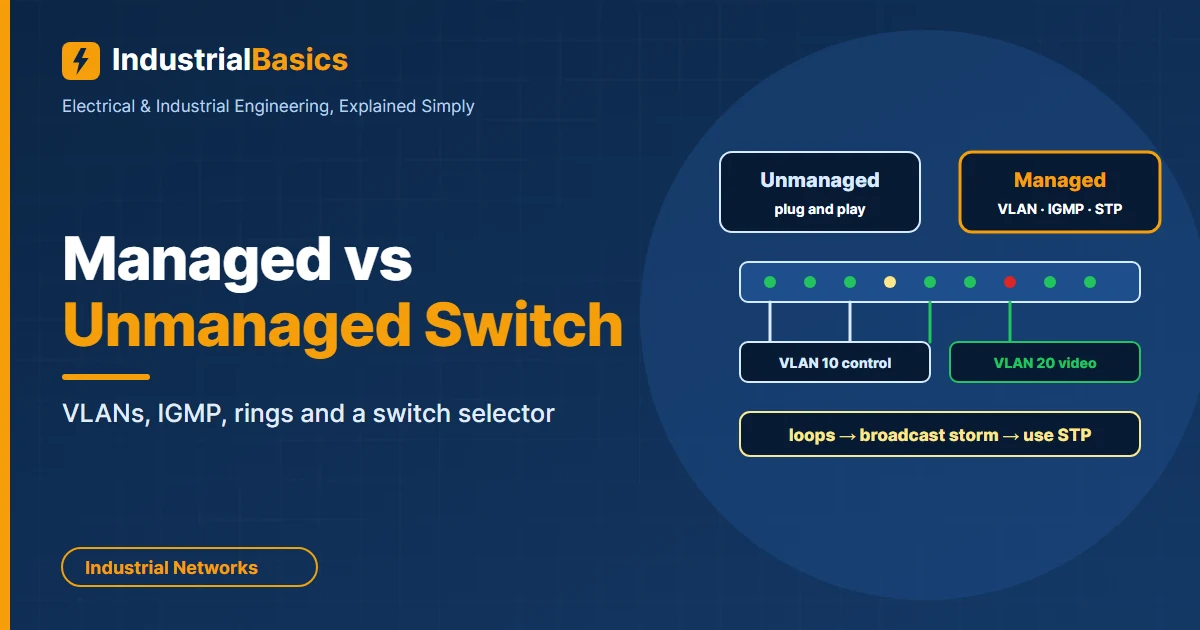
An unmanaged switch is plug and play with no configuration. A managed switch can be configured and monitored, with VLANs, IGMP snooping for multicast, Spanning Tree or ring redundancy, SNMP diagnostics, port mirroring and quality of service. Smart (web-managed) switches sit in between. Unmanaged switches suit small, isolated machine networks. Use managed switches when you have multicast I/O, Profinet class B or C, redundant rings, segmentation needs or want remote diagnostics.
Managed vs Unmanaged vs Smart Switch
| Unmanaged | Smart / web-managed | Managed | |
|---|---|---|---|
| Configuration | None (plug and play) | Web interface, limited features | CLI, web and SNMP; full feature set |
| VLANs (802.1Q) | No | Often basic | Yes |
| IGMP snooping (multicast) | No | Sometimes | Yes |
| Spanning Tree / redundancy | No | Sometimes | Yes |
| Monitoring | Link LEDs only | Basic port status | SNMP, port mirroring, LLDP, traffic statistics |
| Security | None | Basic | MAC filtering, ACLs, 802.1X |
| Cost | Lowest | Middle | Highest |
What Managed Switch Features Do
- VLANs: split one switch into separate logical networks with 802.1Q tagging, keeping control traffic away from cameras, PCs and office systems.
- IGMP snooping: the switch learns which ports joined each multicast group and forwards multicast only there, instead of flooding every port (Wikipedia, IGMP snooping).
- Spanning Tree / ring protocols: let you build redundant links without creating a loop. STP blocks redundant paths, preventing switching loops and the broadcast radiation they cause.
- Diagnostics: SNMP monitoring, port statistics, LLDP neighbor discovery and port mirroring for packet captures.
- Control: per-port enable/disable, speed and duplex settings, QoS, MAC filtering and 802.1X access control.
Switch Selector
Choosing Switches for Industrial Networks
Industrial protocols add specific requirements. Profinet conformance class B and higher specify certified network infrastructure with managed switches so the controller can read topology and port diagnostics; see what is Profinet. EtherNet/IP I/O can use multicast, where IGMP snooping keeps the traffic off ports that do not need it. Redundant ring topologies need a managed protocol, such as RSTP or a ring protocol like MRP, to block the loop until a link fails.
Segment the plant network with private address ranges and VLANs per area or line; see private IP ranges. Managed switches can also run DHCP snooping against rogue servers; see BOOTP vs DHCP.
For how a switch connects upstream to the rest of the network, see what an uplink port is.
Frequently Asked Questions
What is the difference between a managed and an unmanaged switch?
An unmanaged switch has no configuration interface: it is plug and play. A managed switch can be configured and monitored, through a command line, web page or SNMP, with features such as VLANs, quality of service, Spanning Tree, port mirroring, link aggregation and IGMP snooping (Wikipedia).
What is a smart switch?
A smart or web-managed switch is a managed switch with a limited feature set, usually configured through a web page, priced between unmanaged and fully managed switches.
Do I need a managed switch for industrial Ethernet?
For a small, isolated machine network, an unmanaged switch often works. Use managed switches for multicast I/O, Profinet conformance class B and above, redundant rings, VLAN segmentation or when you need remote diagnostics.
What is a broadcast storm?
Broadcast traffic multiplied endlessly around a switching loop until links saturate. The Spanning Tree Protocol prevents it by blocking redundant paths and preventing the broadcast radiation that loops cause.
What causes a broadcast storm?
Most often a cable that connects two switch ports (or two switches twice), creating a loop on switches that cannot detect it. Managed switches with STP or a ring protocol block the loop.
What is IGMP snooping?
A switch listens to IGMP messages and forwards IP multicast only to ports with devices that joined that group, instead of flooding every port. It is common on managed switches.
What is a VLAN?
A virtual LAN: a managed switch splits ports into separate logical networks (IEEE 802.1Q tagging), so control, video and office traffic do not mix even on the same hardware.
Is an industrial switch different from an office switch?
Industrial switches are built for control panels and harsh conditions, with DIN-rail mounting and wider temperature ranges; both managed and unmanaged industrial models exist. Check the ratings against the cabinet.
Hub vs switch: what is the difference?
A hub repeats every packet out of every port and shares one collision domain. A switch learns addresses and forwards each frame only toward its destination, giving each port its own collision domain (Wikipedia).
What is port mirroring?
A managed-switch feature that copies a port’s traffic to another port for a packet analyzer or intrusion detection, since normally only the sending and receiving ports see the traffic.
Sources and Further Reading
- Wikipedia: Network switch: unmanaged, smart and managed switches; managed features; switch vs hub.
- Wikipedia: IGMP snooping: multicast control on switches.
- Wikipedia: VLAN: virtual LANs and 802.1Q.
- Wikipedia: Spanning Tree Protocol: loop-free topology and broadcast radiation.